
Here are the steps:
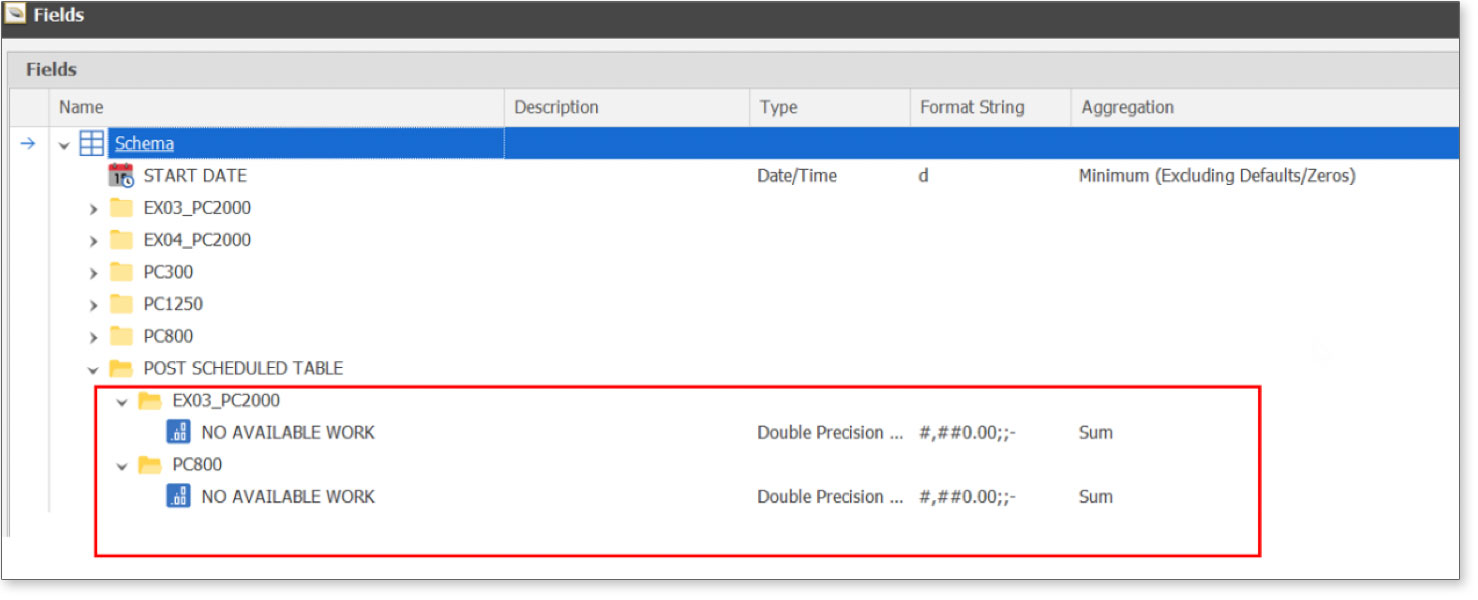
1. Create a field in the table calendar for each equipment, as seen below:
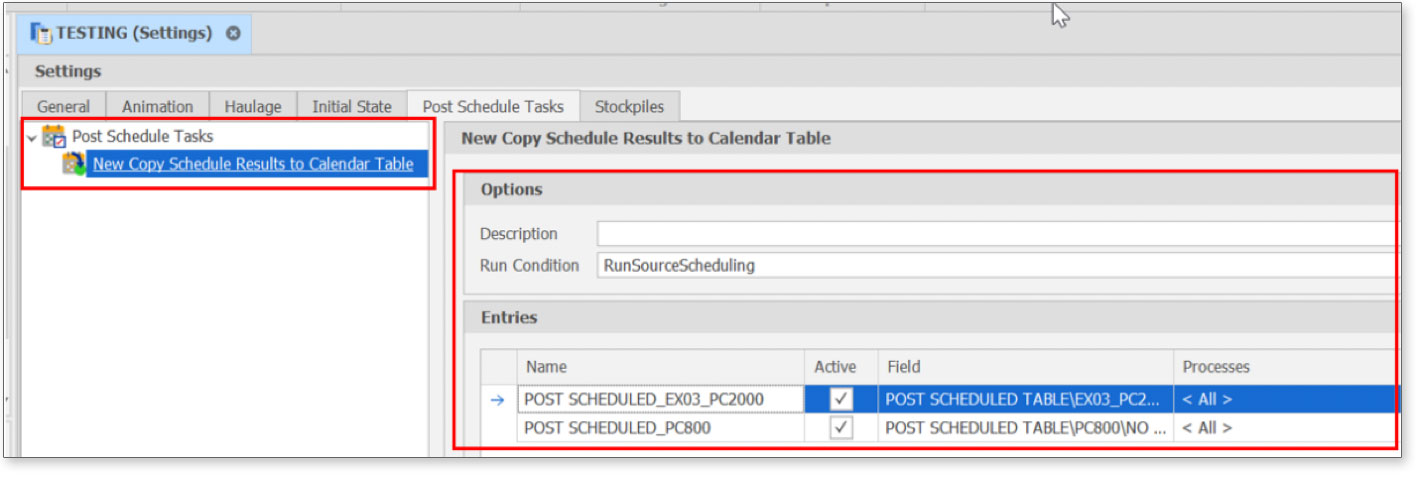
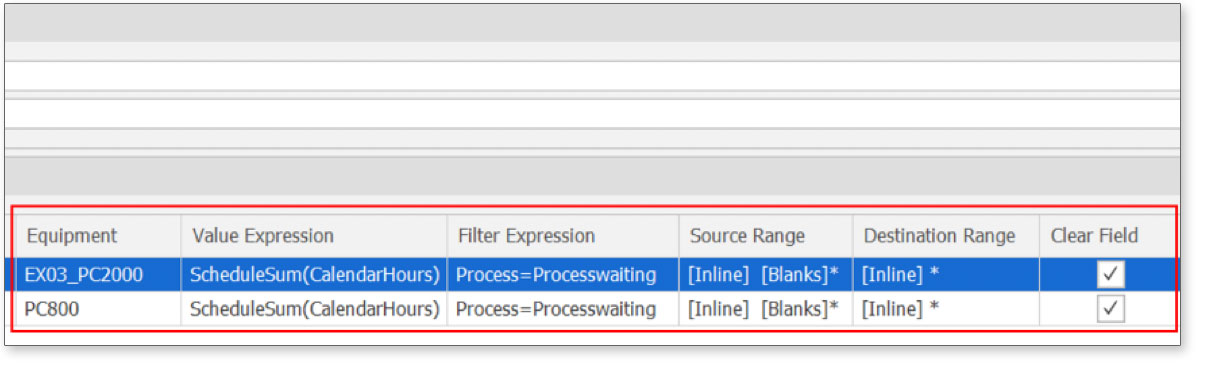
2. Create New Copy Schedule Results to Calendar Table and setting as shown below, then “Run” Post Schedule Tasks.
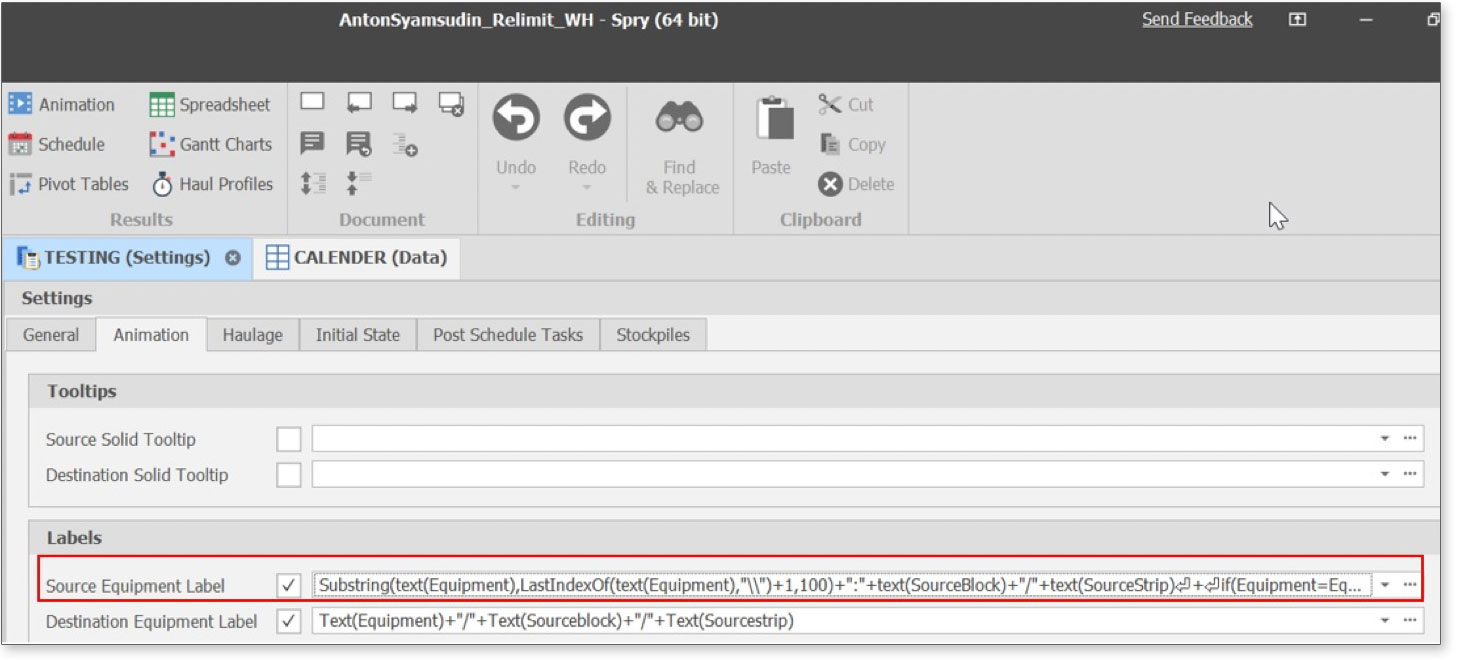
3. Tick the Source Equipment Label and fill in the formula:
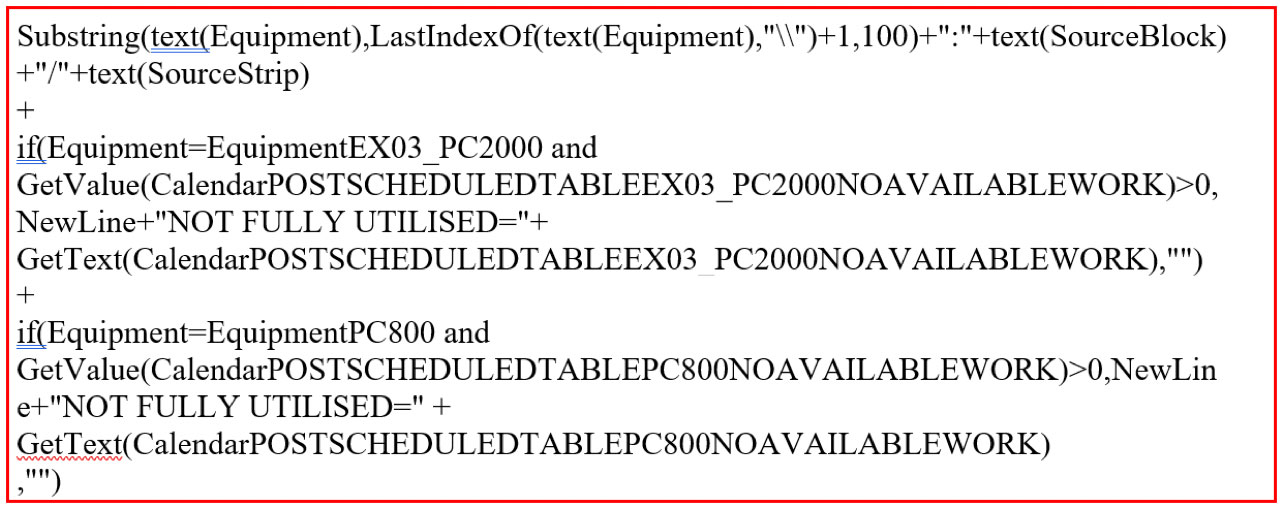
The formula in Source Equipment Label is as follows:
The result can be shown below:
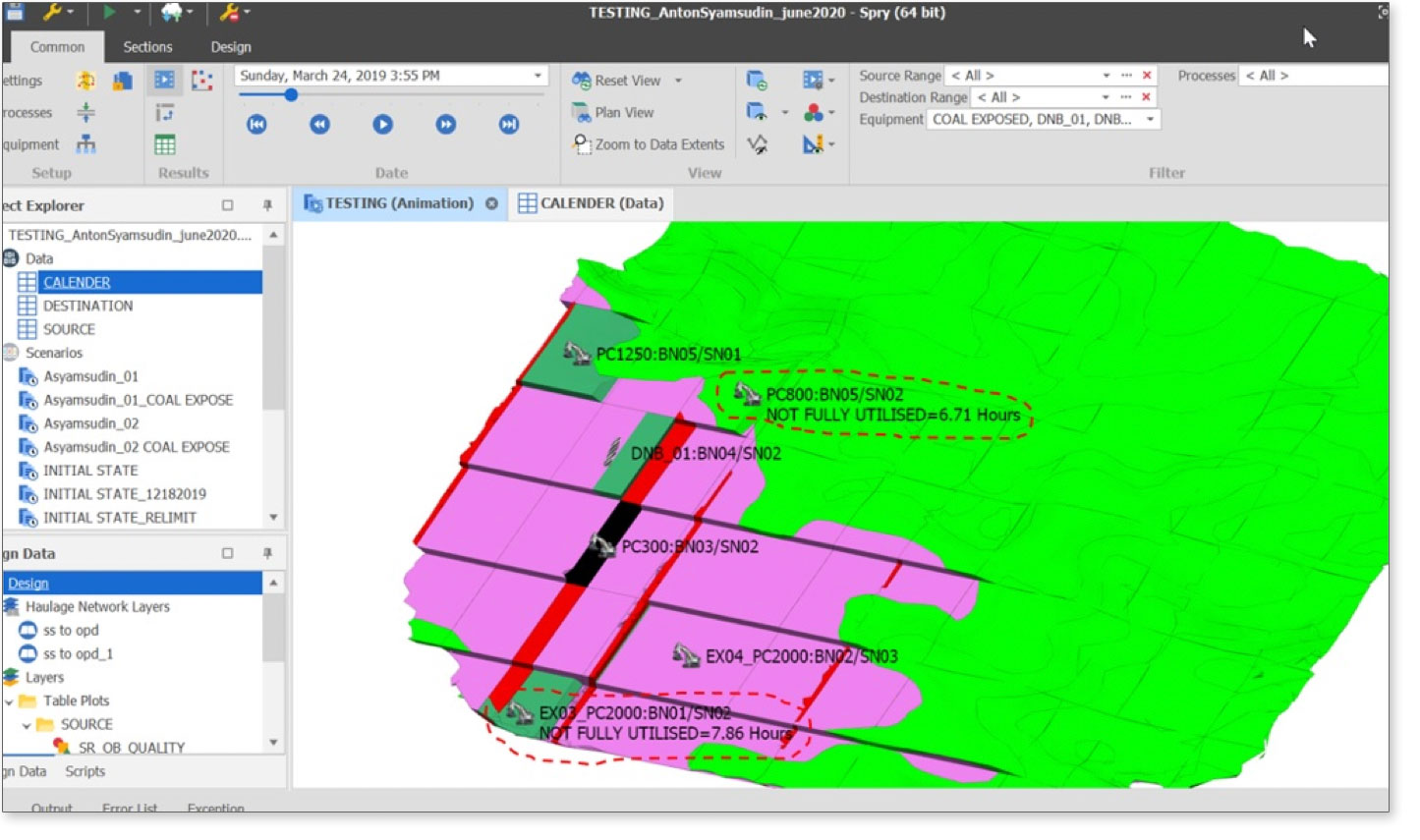
Now you can show the Total of Equipment standby Hours within a certain period in animation. If you have issues with this feature, feel free to contact us at CallCenter@mitrais.com.